Updates
Branded QR Codes, Print & Download Formats, POS View, and More
A collection of meaningful improvements across the platform, focused on professional output, mobile usability, and richer analytics.
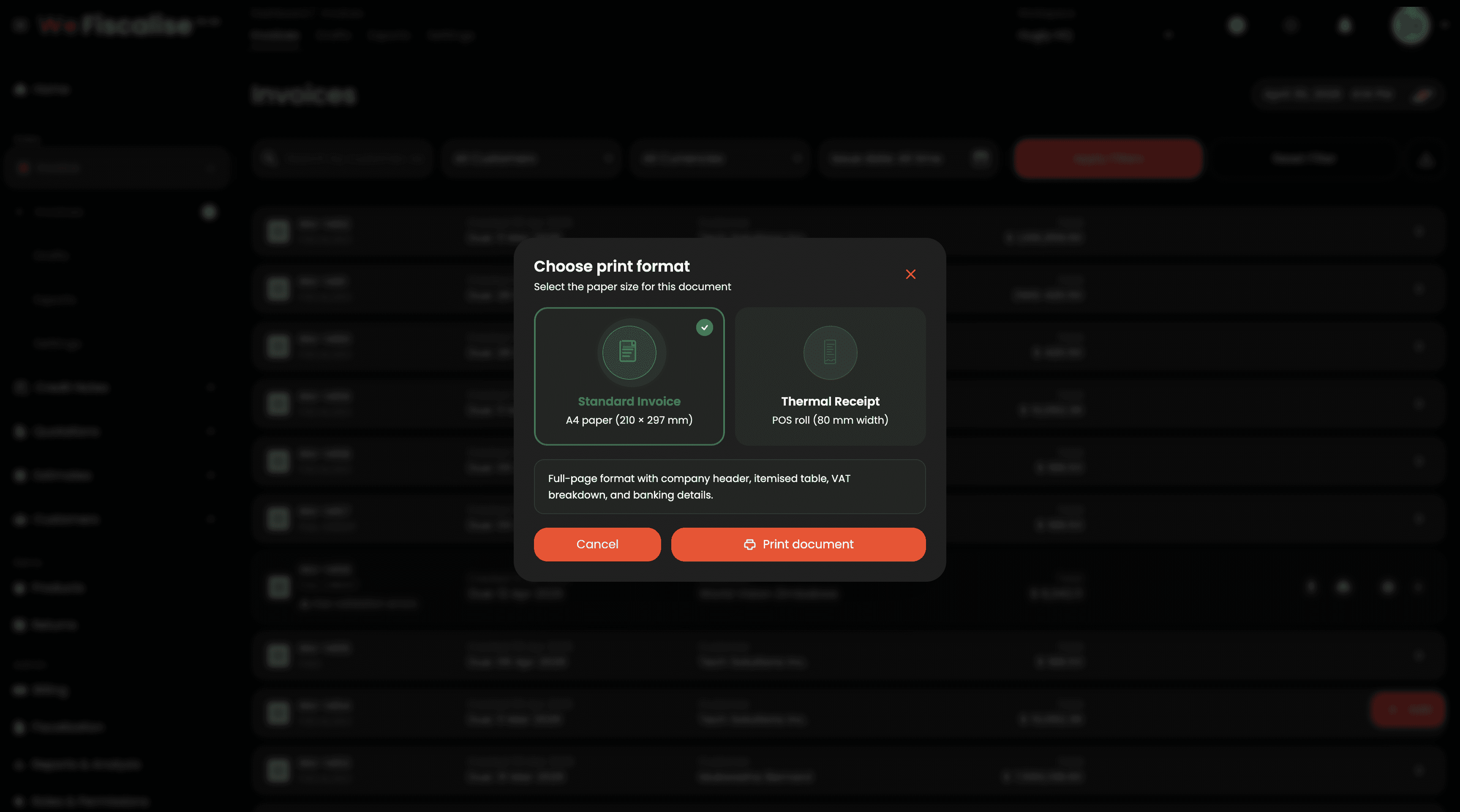
Print & Download Format Picker: All invoice and credit note detail and listing pages now show a format selection modal when you tap Print or Download PDF. Choose between:
Standard Invoice — A4 (210 × 297 mm), full-page layout with header, itemised table, VAT, and banking details
Thermal Receipt — 58 mm / 80 mm POS roll, compact layout optimised for thermal printers
POS Receipt View on Detail Pages: Invoice and credit note detail pages now include a POS View / A4 View toggle in the action bar. Switch instantly between a full A4 preview and a scaled thermal receipt preview — exactly as it will print on your POS device — without leaving the page.
Redesigned Reports & Analytics: The Report and Analysis page has been fully redesigned with a richer colour palette, gradient KPI cards, improved chart styling, and new detail panels including Invoice Health, Effective Revenue, Outstanding Breakdown, Overdue Aging, and Credit-Prone Customers. Data is easier to read and act on at a glance.
Mobile Bottom Navigation: On mobile devices, a floating bottom navigation bar now replaces the top-only menu. It groups pages into Home, Sales, Customers, Items, and Admin — with animated sub-item sheets that slide up when you tap a group. The active tab is highlighted with a pill indicator and an accent dot, making it much easier to move around the app with one hand.
#qr-code #print #pos #receipts #analytics #mobile #improvements
A collection of meaningful improvements across the platform, focused on professional output, mobile usability, and richer analytics.
Print & Download Format Picker: All invoice and credit note detail and listing pages now show a format selection modal when you tap Print or Download PDF. Choose between:
Standard Invoice — A4 (210 × 297 mm), full-page layout with header, itemised table, VAT, and banking details
Thermal Receipt — 58 mm / 80 mm POS roll, compact layout optimised for thermal printers
POS Receipt View on Detail Pages: Invoice and credit note detail pages now include a POS View / A4 View toggle in the action bar. Switch instantly between a full A4 preview and a scaled thermal receipt preview — exactly as it will print on your POS device — without leaving the page.
Redesigned Reports & Analytics: The Report and Analysis page has been fully redesigned with a richer colour palette, gradient KPI cards, improved chart styling, and new detail panels including Invoice Health, Effective Revenue, Outstanding Breakdown, Overdue Aging, and Credit-Prone Customers. Data is easier to read and act on at a glance.
Mobile Bottom Navigation: On mobile devices, a floating bottom navigation bar now replaces the top-only menu. It groups pages into Home, Sales, Customers, Items, and Admin — with animated sub-item sheets that slide up when you tap a group. The active tab is highlighted with a pill indicator and an accent dot, making it much easier to move around the app with one hand.
#qr-code #print #pos #receipts #analytics #mobile #improvements
Other updates
Other updates

Complete Quotation and Estimate Management System
Mar 29, 2026
Complete Quotation and Estimate Management System
Mar 26, 2026

Quotation & Estimate PDF Templates
Mar 27, 2026
Quotation & Estimate PDF Templates
Mar 26, 2026

Bulk invoice and credit note export to CSV
Mar 27, 2026
Bulk invoice and credit note export to CSV
Feb 28, 2026